Who is it for?
Day traders, scalpers, and swing traders who manage multiple tickets and want professional-grade controls without coding MQL.
MetaTrader 4 · Trade management panel
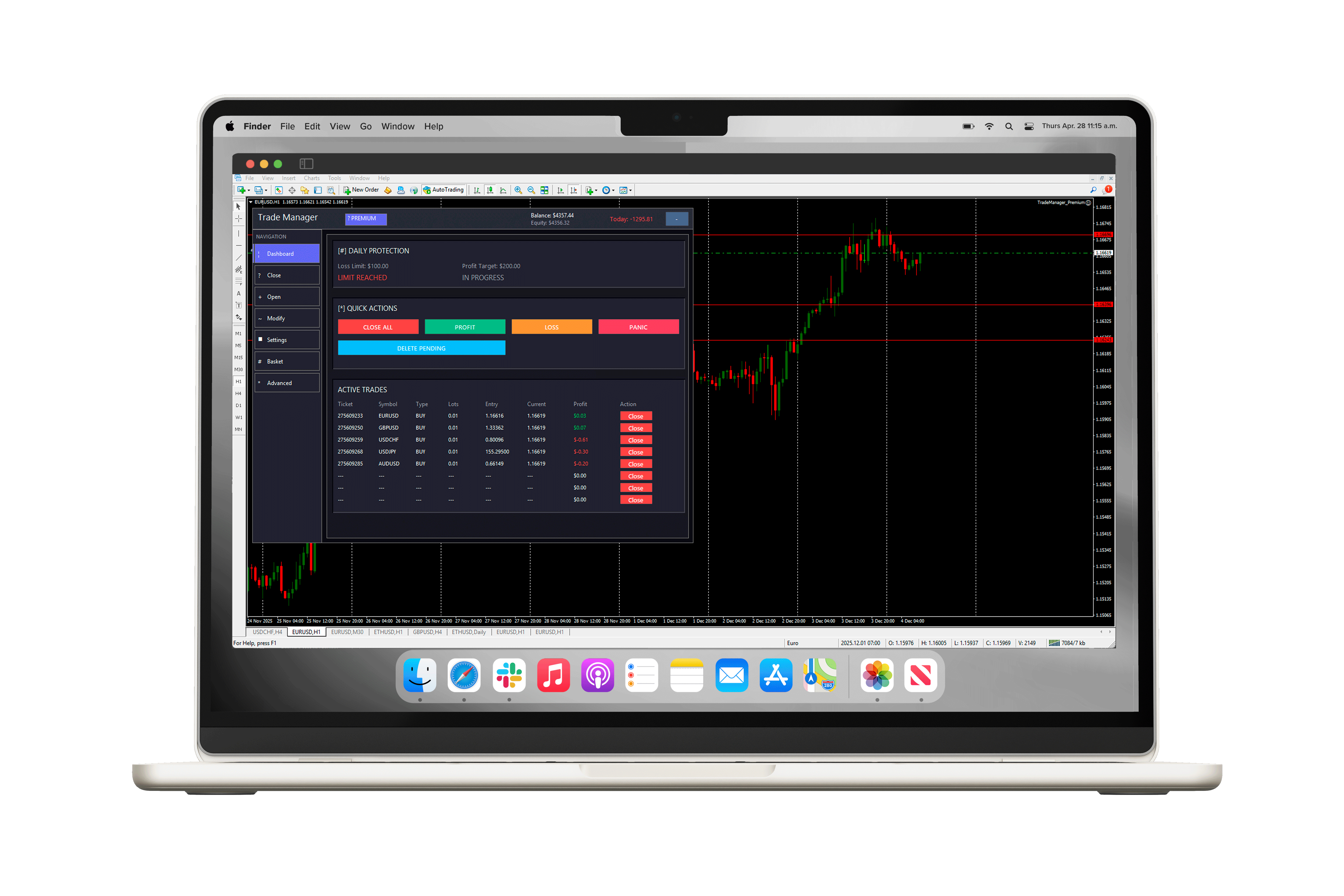
Trade Manager Pro replaces messy chart clutter with a single panel: open and close orders fast, set daily profit/loss limits, and—on Premium—automate break-even, trailing stops, basket control, and risk-based lot sizing.
What is Trade Manager Pro?
Trade Manager Pro is an Expert Advisor (EA) panel that sits on your MetaTrader 4 chart. It does not guess market direction. It helps you execute and protect trades: faster entries, safer exits, and rules you define (daily limits, equity guard, automation on Premium).
Day traders, scalpers, and swing traders who manage multiple tickets and want professional-grade controls without coding MQL.
MT4’s default interface makes bulk actions slow. Trade Manager Pro gives you one-click close options, structured risk, and optional automation so you spend less time clicking and more time following your plan.
Developed by Nowzana Technologies, with 500+ delivered trading projects—same team behind custom EAs, copiers, and risk platforms.
How it works
Get the Free .ex4 file, copy it to MT4’s Experts folder, drag onto any chart, and allow algo trading.
Use the on-chart UI for market/pending orders, modify SL/TP, and quick actions like Close All, Close Profit, or Panic Close.
Hit the Free trade limits or need automation? Purchase Premium once via PayPal—receive your license key by email and unlock the full build.
Features
Core tools are free. Advanced automation and unlimited capacity are Premium.
Market and pending orders, plus fast SL/TP edits from one place.
Stop new trades or close positions when your daily target or loss limit is hit.
Close all, winners only, losers only, or emergency panic—per symbol or account-wide.
Risk by % of balance or fixed money; lots calculated from your stop distance.
Lock profit automatically as price moves in your favor.
Manage groups of trades by magic number with shared targets.
Hidden stops monitored by the EA—useful when brokers restrict visible SL/TP.
Trade only in your hours; automate timed actions.
Free vs Premium
Start with Free to learn the panel and protect your account with daily limits. Move to Premium when you need unlimited tickets and professional automation—pay once, keep it for life.
Ideal for newer traders or anyone testing the UI on demo/live with light position count.
For traders running multiple positions, EAs, or symbols who want full automation and no caps.
| Capability | Free $0 |
Premium $99 once Lifetime |
|---|---|---|
| Daily loss / profit limits | ✓ | ✓ |
| Quick close (all / profit / loss / panic) | ✓ | ✓ |
| Pending orders & modify SL/TP | ✓ | ✓ |
| Max open / pending trades | 5 / 2 | Unlimited |
| Auto lot sizing | — | ✓ |
| Break-even & trailing stop | — | ✓ |
| Equity protection | — | ✓ |
| Basket & partial close | — | ✓ |
| Virtual SL/TP & schedules | — | ✓ |
| Sound / email alerts | — | ✓ |
| Priority support | Community | 24/7 |
Interface
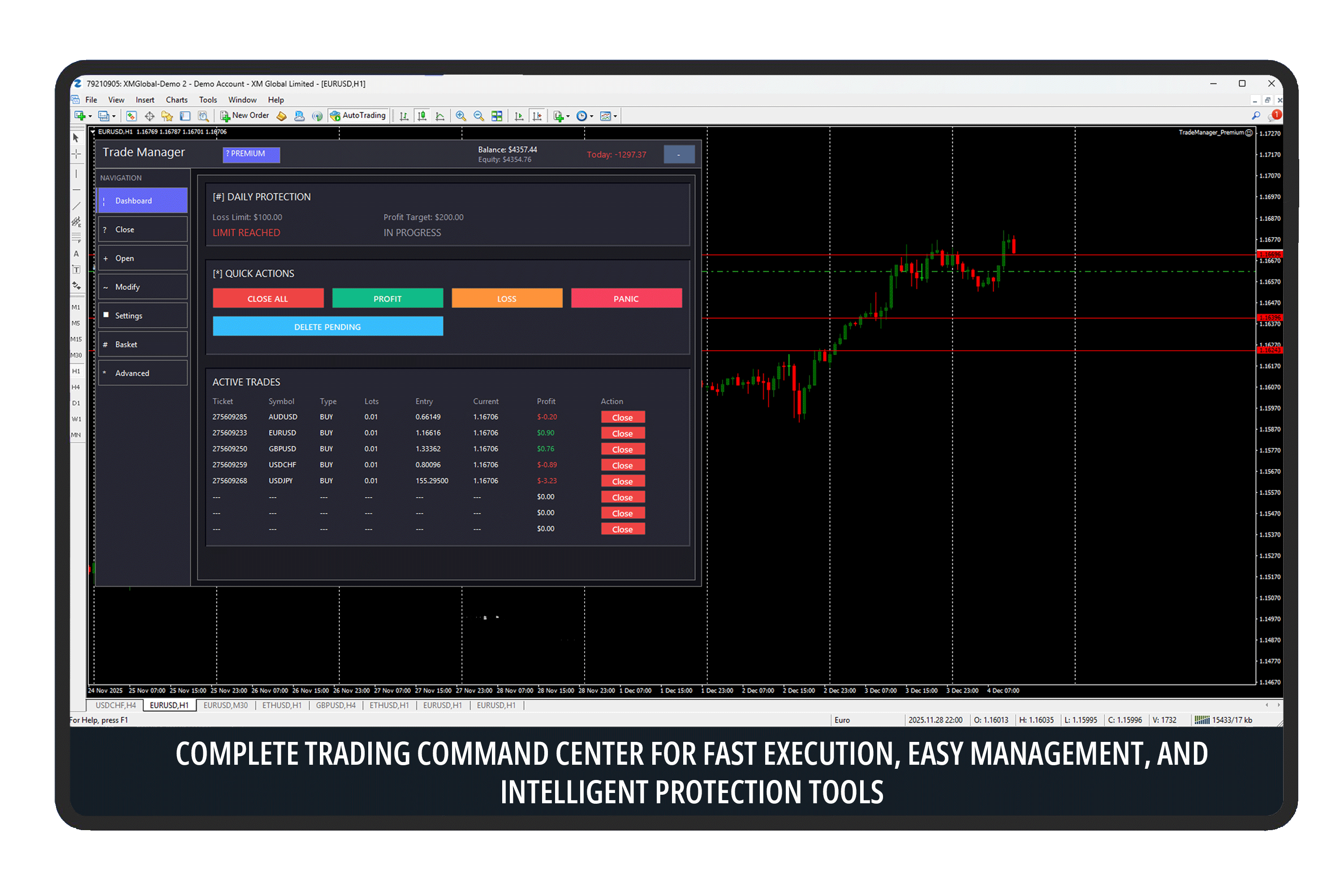
Trading command center
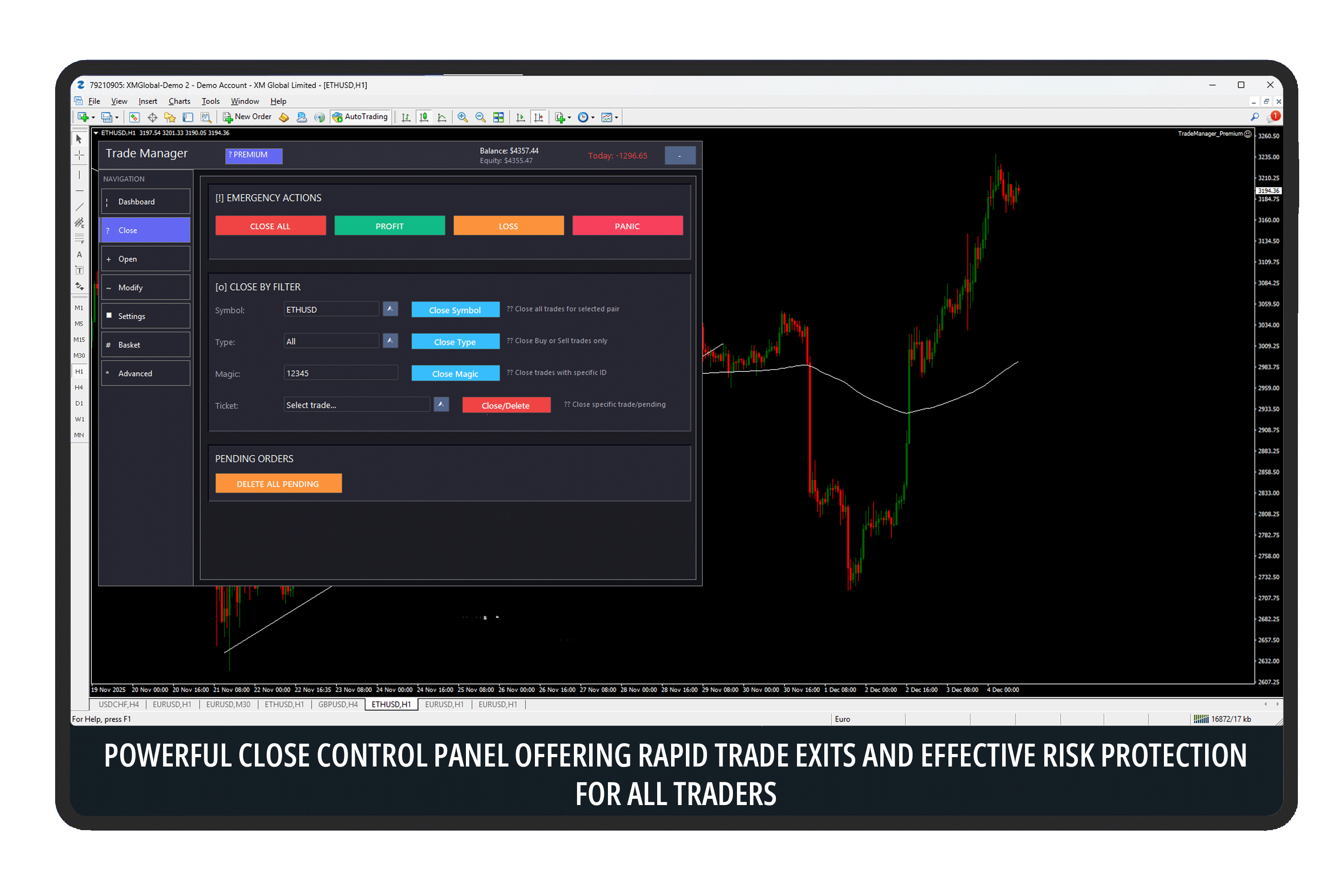
Rapid close controls
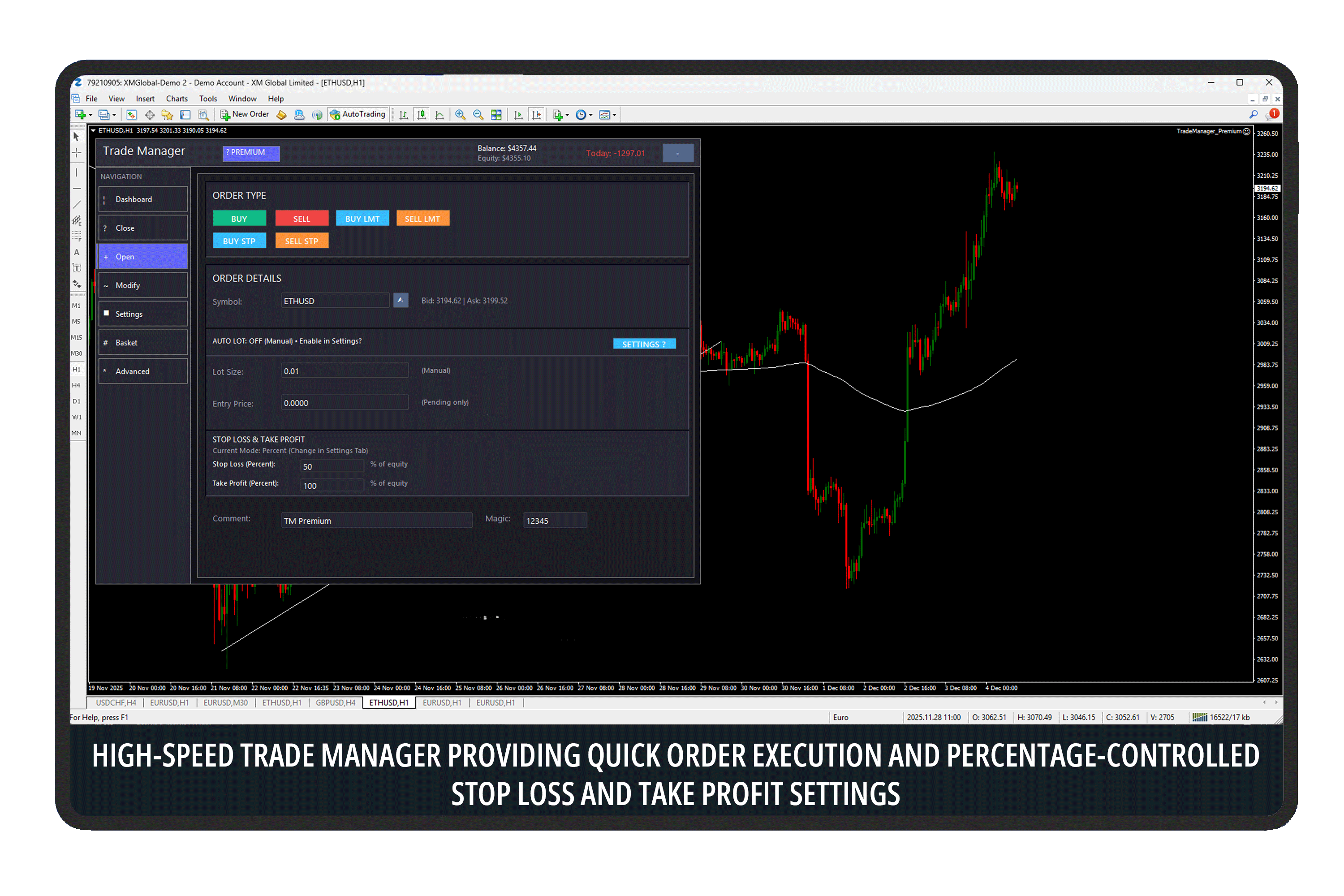
Order execution
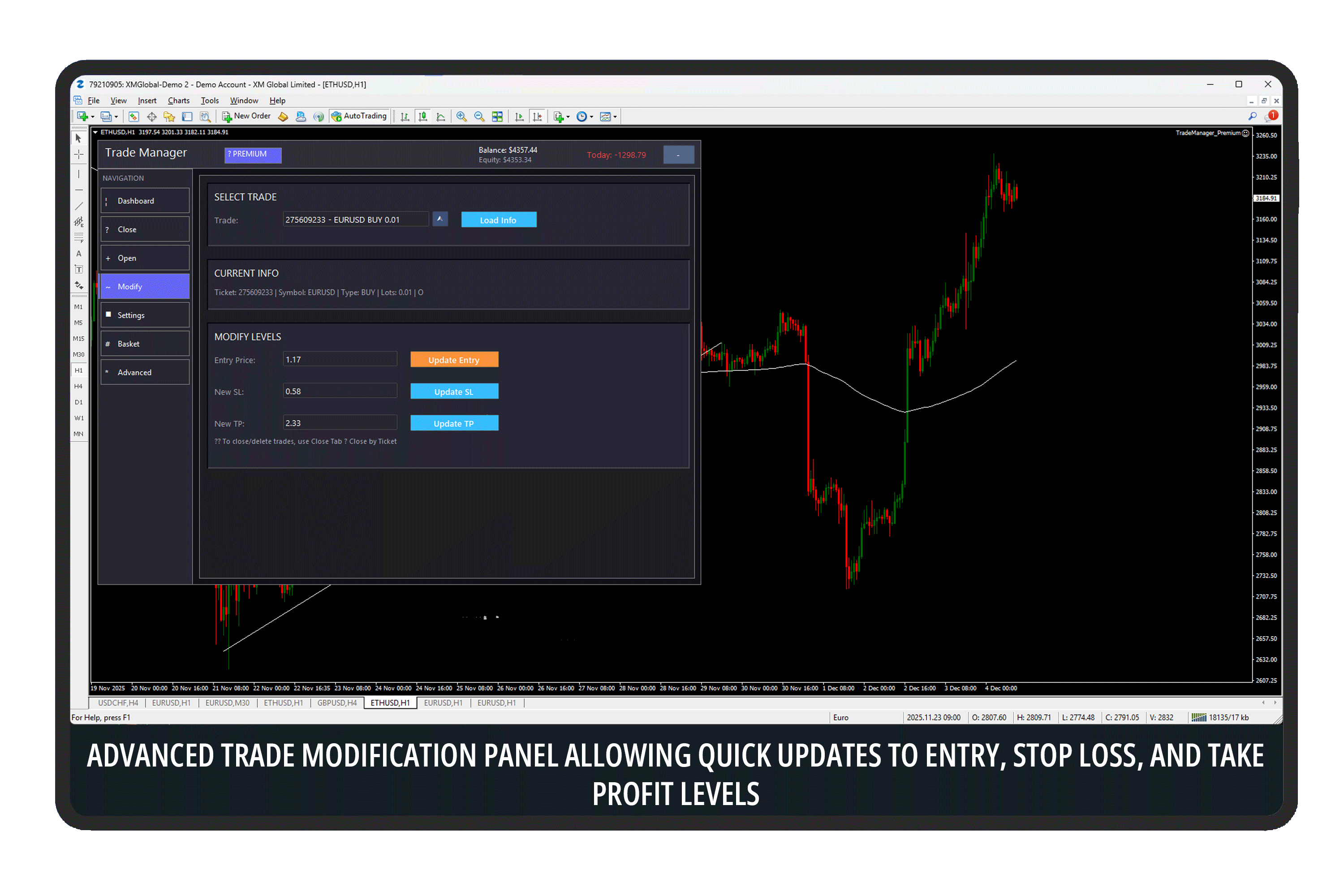
Modify trades quickly
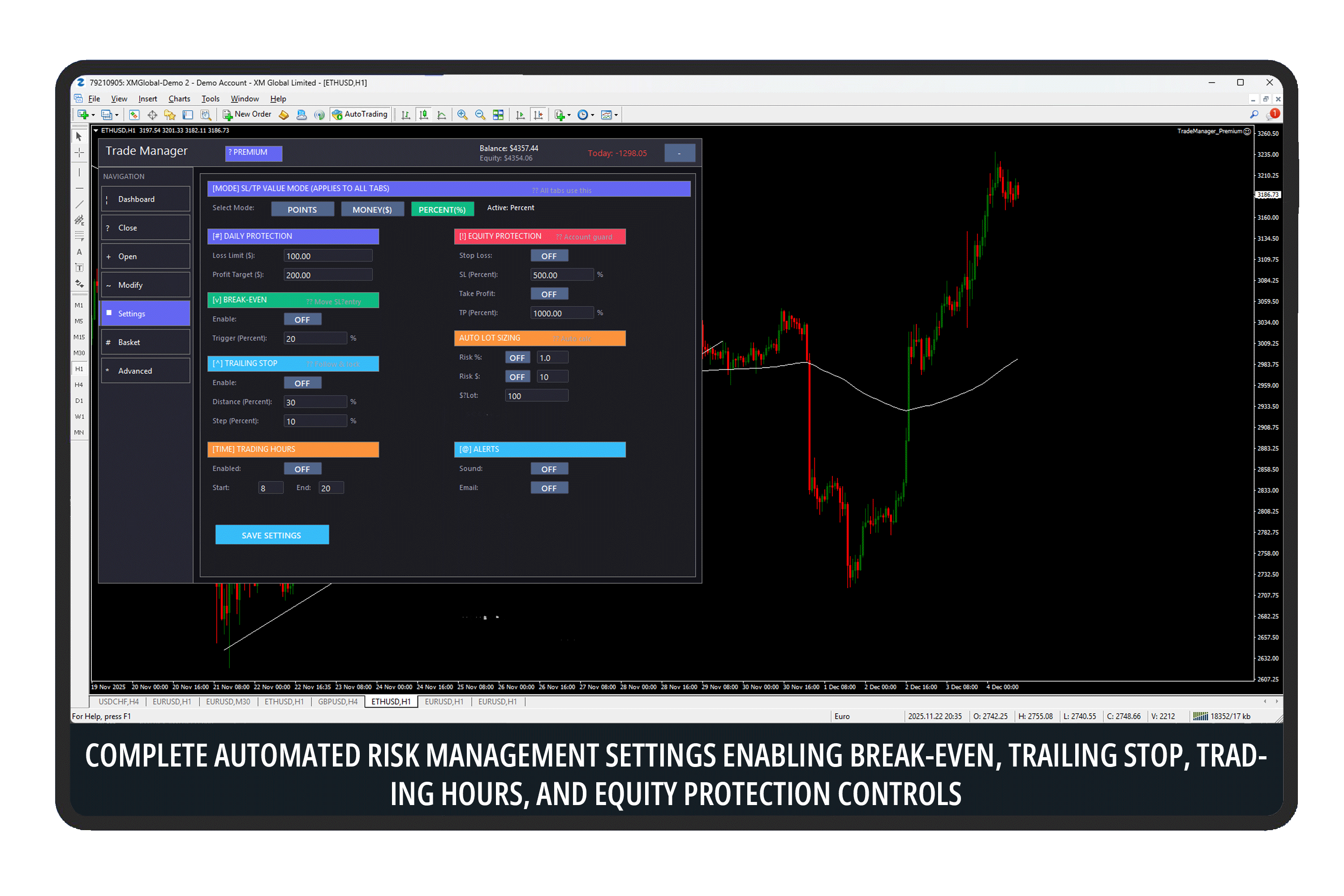
Risk management settings
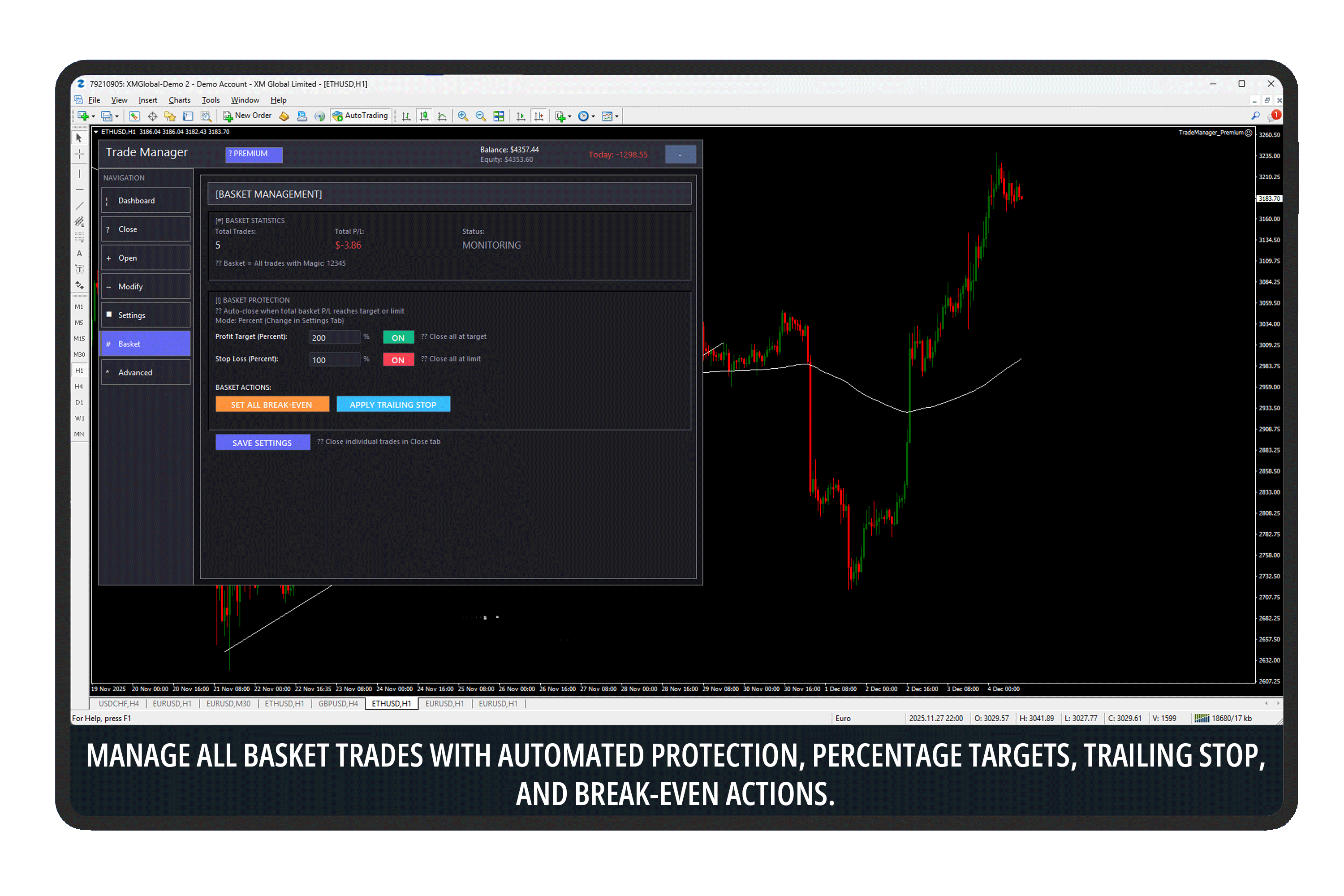
Basket management
Pricing
No subscriptions. Premium is one payment, lifetime access.
Lifetime license · PayPal checkout
Free download
Enter your details once—we’ll start the download and send setup tips to your inbox.
Windows · MetaTrader 4 build 600+ · Demo or live accounts
Premium checkout
Pay $99 USD once with PayPal. After your payment is confirmed, we email your license key and Premium download instructions—usually within a few hours, always within 24 hours.

FAQ
It is primarily a trade management panel. You control entries; the tool helps you manage exits, risk, and (on Premium) automation like break-even and trailing stops. It can work alongside your own EAs.
Free includes the core panel, daily limits, and quick close tools with a cap of 5 open and 2 pending trades. Premium removes limits and adds automation: auto lots, break-even, trailing, basket tools, virtual SL/TP, schedules, and alerts.
This build is for MetaTrader 4 (build 600+, 32/64-bit). MT5 support may follow—check Nowzana for updates.
We accept PayPal only on this site. Click “Continue to PayPal”, complete payment, and we’ll email your license key. For help before or after purchase, use WhatsApp or live chat below.
One license is for one MT4 account. Email us for volume pricing if you need more.
Yes—contact us within 30 days if Premium is not right for you and we’ll process a refund per our policy.
Trade Manager Pro uses magic numbers to identify its trades. You can run it on the same account as other EAs when configured correctly.
Support